Upline: Putting Any Arduino Online Over Nothing But the USB Cable
Every Arduino ever made speaks Serial.
Here's one sitting on my desk in Ohio. Move the servo, toggle the lights, view the chip temperature. The webcam refreshes every couple seconds, so you'll see your own changes land -- plus whatever anyone else reading this is doing right now.
» Live demo, on my desk right now
That board is an ATtiny85. No WiFi, no Bluetooth, no radio of any kind on the Arduino. It reaches the internet through just one thing: a USB/Serial cable.
There's no account behind that link. No cloud service holding the data, no VPN, no DNS record, no port forwarding on my router.
That should be simple. It isn't.
Why This Is Hard Today
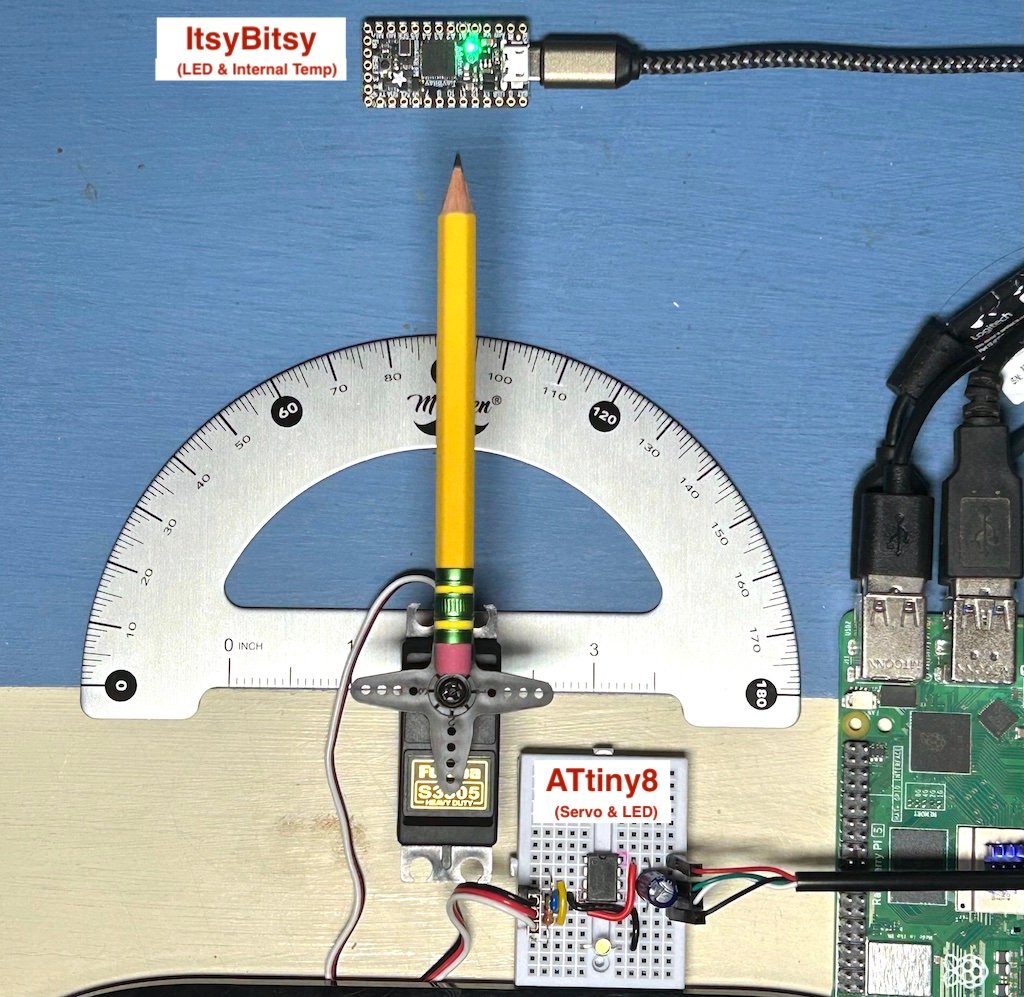
While various boards can also connect to WiFi, BT, BLE, LoRa, Thread, etc., setting them up becomes a project in and of itself. And once you get them connected, having them stay connected in any reliable manner is an additional layer of overhead to keep tabs on.
This may seem like something that's already around, but the common approaches to Arduino internet connectivity leave much to be desired:
- Particle / Adafruit IO / Blynk -- account, and your data lives on their servers
- ESPHome + Home Assistant -- still needs Nabu Casa, or reverse proxy + cert + DDNS
- Self-hosted MQTT -- breaks behind CGNAT
- Tailscale -- solves CGNAT, but needs an account (often paid), and nobody sees your device without installing it themselves
So I built a bridge that works across every Arduino variant -- from pre-Arduino 8-bit chips like the ATtiny85, to a 2008 Duemilanove with 1KB of SRAM, up to ESP32 and a host of others used today -- over nothing but the USB cable.
Transport is QUIC/TLS with an Ed25519 device identity; when hole-punching fails it falls back to relays that forward encrypted packets and can't read your data. The only requirement is that the computer it's plugged into stays online -- your desktop, or a dedicated Pi if you'd rather. Plus, you fully own all of the data and it just works from anywhere.
The Serial Data Protocol
There are plenty of existing ways to stream arbitrary data around, with JSON being one of the most universal. But look at any basic JSON parsing library for Arduino and you quickly realize that it takes a lot more overhead than you think to keep track of all of the different possible data structures, matched brackets, variable types, and so forth. For a modern Arduino, that's totally fine. But it's a real bottleneck if you want to support the full range of potential hardware.
On an Arduino Uno, ArduinoJson v7 eats 9,680 B of flash -- 30% of the chip (versus less than 1/4 of that for a simple key:value splitter doing identical work), and it burns that budget before the application does anything. On older/smaller parts it crosses from burdensome to impossible: on an ATtiny85 it won't even compile.
And you'd be surprised how many things still run on 8-bit chips, since they are ultra cheap which makes them often the best choice for basic hardware projects that only need to read a few sensors and perform some action.
» Upline serial protocol on GitHub
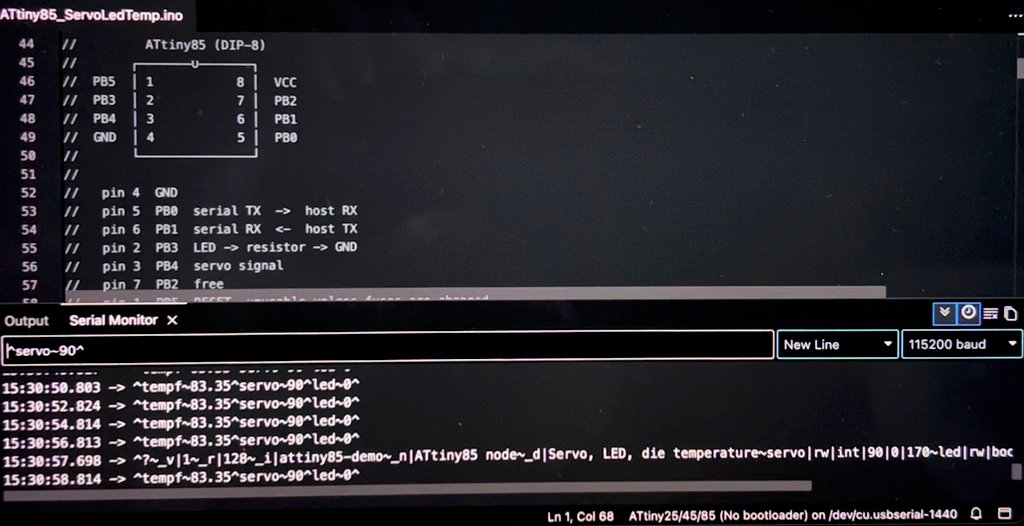
Upline makes this incredibly simple. Send ^?^ to query, and get back its id/name/description, along with the full schema of what the board offers (each split by a tilde). That looks something like this:
^?~_i|attiny85-demo~_n|ATtiny85 node~_d|Servo, LED, temperature sensor~servo|rw|int|90|0|170~led|rw|bool|0~tempf|r|fix2||-40.00|200.00~_v1~_r128^
The other issue with serial communication protocols is that you don't want to accidentally trigger things on other devices by trying to query a new device.
To get around this, we can have the device transmit a tiny ping message in our protocol data format every few seconds. That way, a connection to a new unknown device can be opened, and then we wait a few seconds to make sure it speaks our language before engaging it.
Where the Data Lands
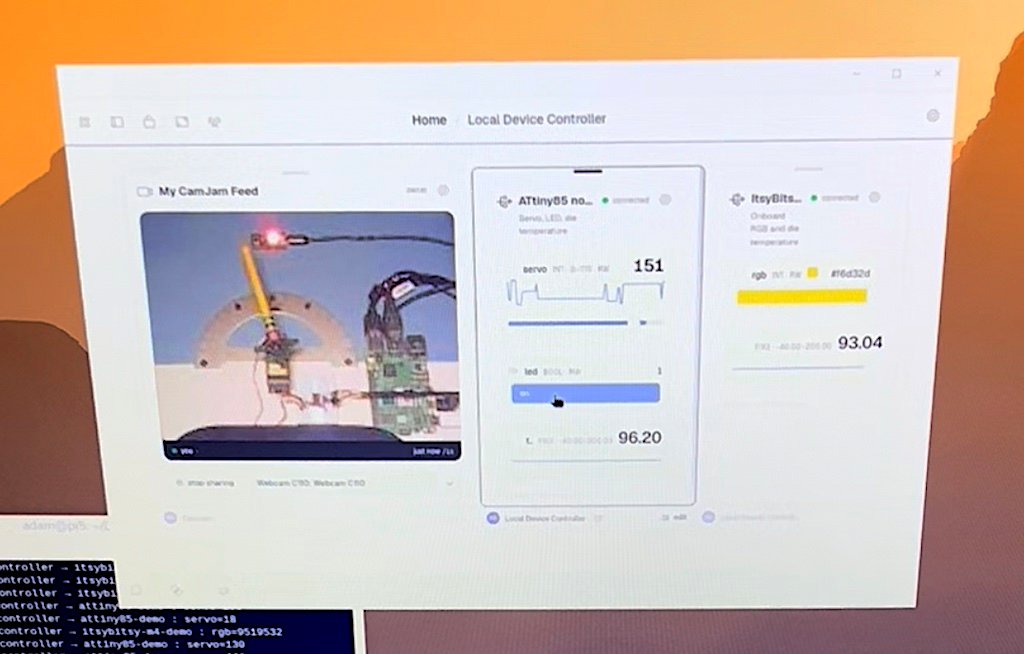
That parsed serial data lands in Seamside, a local-first workspace I've been building. Everything in it runs on your own devices and syncs directly between them over iroh: no server in the middle, no account to make. The thing you build with is a frame -- a small sandboxed app, roughly a web page with a backend, that runs on your machine and can be handed out as a link.
The useful part is that the Arduino's stream is just a source any frame can subscribe to. On my desk right now, that one serial line feeds three things at once:
- a live chart of the sensor values
- a logger quietly appending every reading to a table I can query later
- a rule that pings me when a value crosses a threshold
None of them know about each other, and the Arduino doesn't know about any of them -- it's still just calling Serial.println() in a loop, exactly like it would plugged into the IDE's serial monitor.
That's the part I didn't expect to like as much as I do. The sketch stays as dumb as it was on day one, and everything interesting lives on the other side of the USB cable, where it's cheap to change.
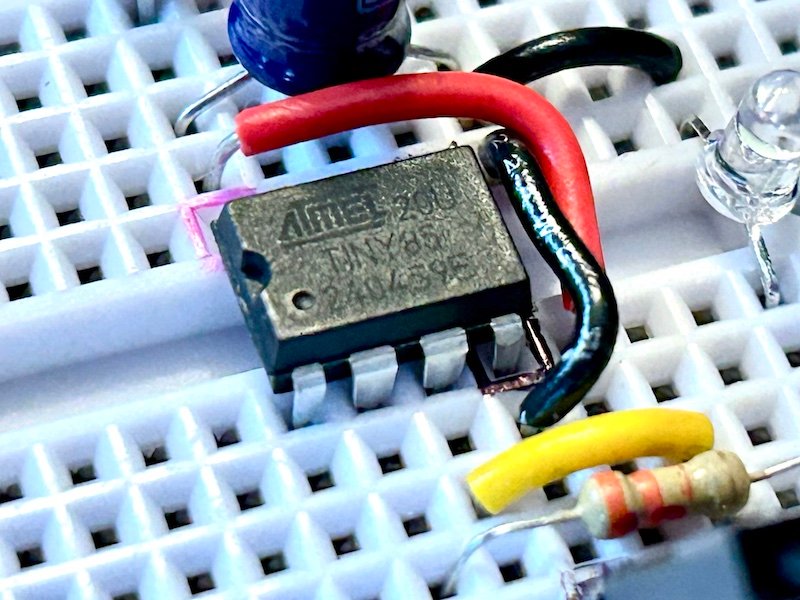
You can add this same simple serial protocol to any of your Arduino boards, plug it in, and do the same.
All hacks posted by Makefast Workshop are open source and shared without any strings attached for your amusement, use, and continued experimentation.
Happy hacking!